- How does the educational group subscription work?
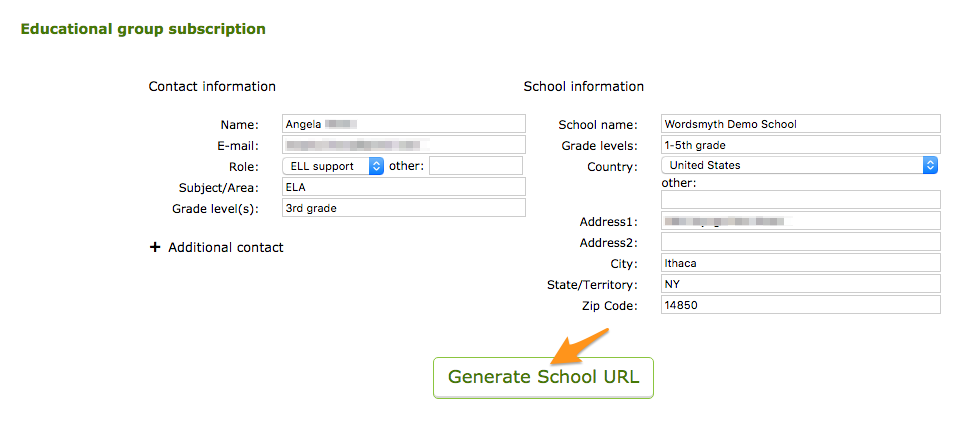
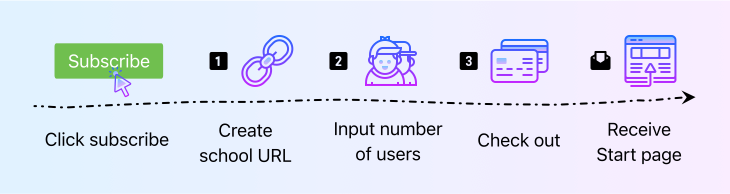
The Educational Group Subscription provides premium features through a unique school URL. After the payment transaction is completed, you will receive a confirmation email with a link to your school start page (www.wordsmyth.net/school/yourschoolname/start). Through the start page, all group subscription users will be able to make use of Wordsmyth’s premium educational features, including Teacher Tools that allow educators to interact with their students. In other words, each subscription is given its own start page and each teacher or student can use this start page to get access to subscription privileges.
We recommend bookmarking your school start page or adding the URL as a link on your school’s website.
- How do additional users register for subscription privileges?
Educators in addition to yourself are required to register in order to use Teacher Tools and save data, such as wordlists and lessons. After registration, all users own their personal account. Users can log in on Wordsmyth sites or with the school URL. In other words, a user’s personal data will go with them wherever they are.
Students are not required to register (i.e., make an account) with Wordsmyth. Students have full access to subscription features through the school start page without logging in. However, when a teacher sets up a class and gives assignments to the class, students need to register for that class. Class registration is extremely simple–only the student’s name is required. This is just so that the teacher can identify each individual student in their class. Wordsmyth does not collect students’ personal information.
- Will my students and I be able to use our Wordsmyth Group Subscription from home?
Yes, you and your students can also use your subscription privileges from home, or anywhere with internet access. As long as a user can open the school start page, all Wordsmyth subscription features will be available.
- What if I already have a Wordsmyth account?
If you already have an account with Wordsmyth, (i.e., you have previously registered with Wordsmyth), you can log in with your existing account information on your school URL. We encourage you to keep only one Wordsmyth account. If you move to a different school, your saved data will go with you as long as there is a group subscription.
- If I log in from the standard Wordsmyth URL (www.wordsmyth.net), will I be able to use the educational group subscription features?
The short answer is “no.”
On your school URL, all teachers and students form an “educational group” who collectively enjoy the group subscription. On the Wordsmyth standard URL (wordsmyth.net), if you are the contact person of the Educational Group Subscription, you will have subscription privileges as an individual user. However, students and any other users will not have subscription privileges when logging in from the standard Wordsmyth URL.
To access Educational Group Subscription features, be sure to log in with your school URL.
- What happens if I use the school page without logging in?
If you use the school page without logging in, the site will be ad-free with full access to premium dictionary features. However, you will not be able to use Teacher Tools, and you will not be able to save any data, such as wordlists or lessons you’ve created.
- How can I cancel my group subscription?
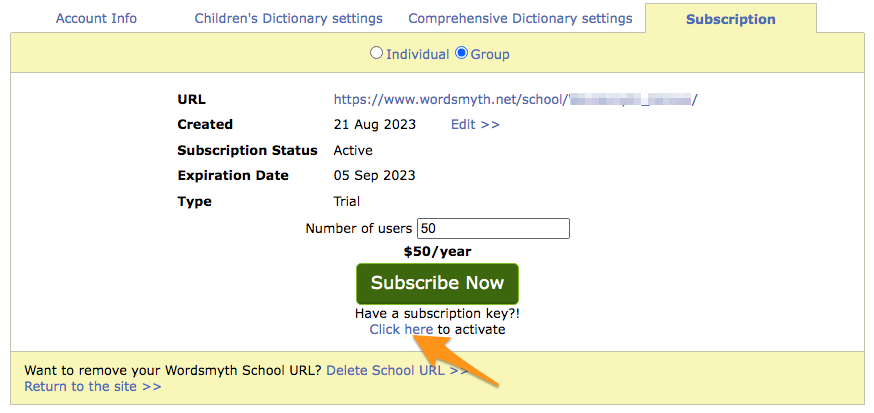
You can click the cancel button on the subscription page while your subscription is active. Also, in your account settings, under the subscription tab, you will find the same “cancel” button.
After you cancel the current subscription, you will have subscriber privileges until the end of the subscription. The subscription will not be renewed after the expiration date.
- How can I change the number of users?
You can change the number of users for the upcoming subscription period. Please note the change will not take effect during the current subscription period.
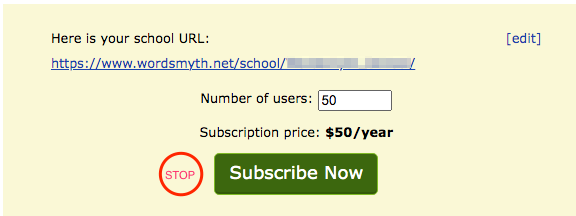
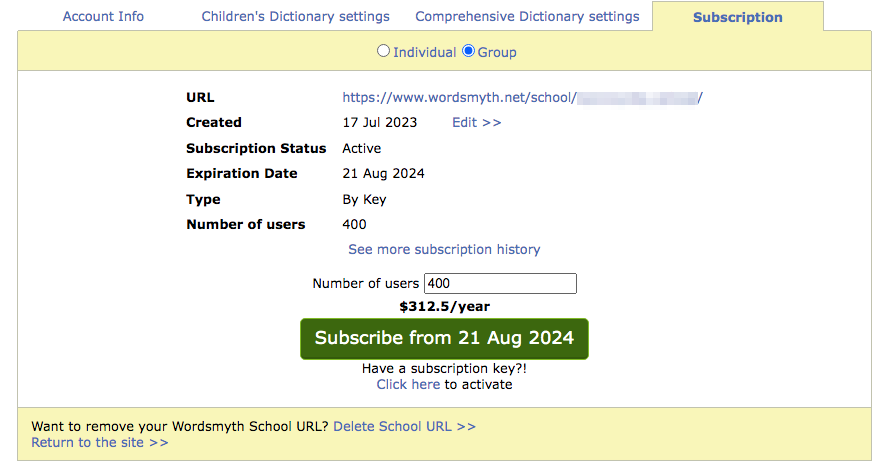
The best time to change the number of users is when your subscription comes up for renewal. (You will receive an email reminder at renewal time.) To add new users, you need to first cancel your current subscription and then re-subscribe. The process is very simple! On the subscription page, click the “cancel subscription” button and confirm the cancellation. On the same page, there is a “Subscribe now” button available. Click it and you will see all your contact and school information prefilled and your school URL unchanged. Now you can change the number of users. Of course, if you need to change your contact information or school URL, you can do so as well.
If you are not completely sure about the number of users, please include a few additional slots when you subscribe.
- What happened to the Title I school financial aid program?
The Title I school financial aid program has been discontinued. We are glad that we were able to support Title I schools with a free subscription in the past, but inflationary pressures have made our continued development dependent on support from all of our users. And we will continue to offer the lowest cost premium services available anywhere online or in print.