To help with online study and learning during these difficult times, Wordsmyth would like to introduce you to its free dictionary widget that you and your students can use to look up words on any web page.
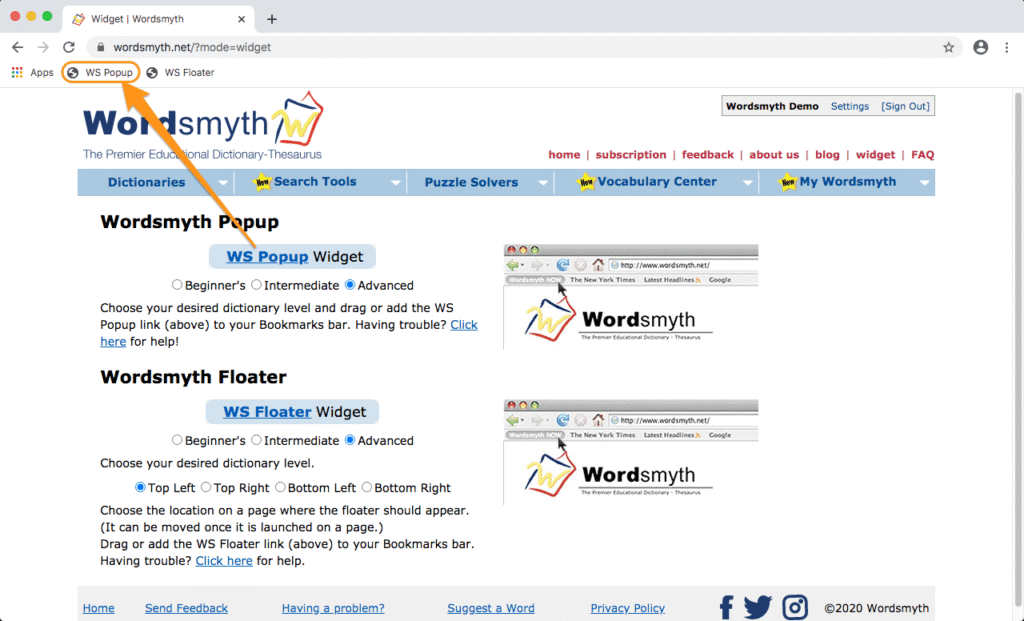
Installing the widget is very easy. Simply go to Wordsmyth’s widget page and then “drag and drop” the widget onto your browser’s bookmark toolbar.
Let’s say you are reading online and want to look up a word; select the word and click the widget link on your toolbar. After this first lookup, the widget is launched and you can simply double click any word and the widget will pop up automatically with the entry information you are looking for. If you want to look up a word that isn’t on the page, click the widget link and the widget search box will appear. You can then type in a word and click the “OK” button to retrieve the dictionary entry for the word you typed. (Please note that ad blockers may interfere with the functioning of the widget.)
We invite you to read the Wordsmyth online teaching resources guide to learn more about Wordsmyth’s tools and resources that will support your online teaching and learning. Follow us on Facebook, Twitter, and Instagram for Word of the Day and updates on features that are coming soon.
Wordsmyth’s Student & ELL Dictionary is now available on the App Store and Google Play. The app is designed for students (middle school-age and up) and English Language Learners at various stages of learning.
3 Dictionaries in One: Beginners, Intermediate, and Advanced levels.
Integrated Thesaurus: Synonyms, Antonyms, and Similar Words.
Customizable entry display: Lets you select which information you want to see.
This app provides the full set of features of our online leveled dictionary suite for better user experience on mobile phones or tablets. Once downloaded, it will always be available for you and your students even without internet.
Many young children are still having difficulty understanding why they are having to stay at home these days and why they are not going to school. Many children may be confused and anxious. To help caregivers and teachers answer questions relating to the current crisis, Wordsmyth has developed a story that not only explains, in a clear and simple manner, the basics concerning the virus but also helps children see that they are not alone in wondering why “everything is different now.”
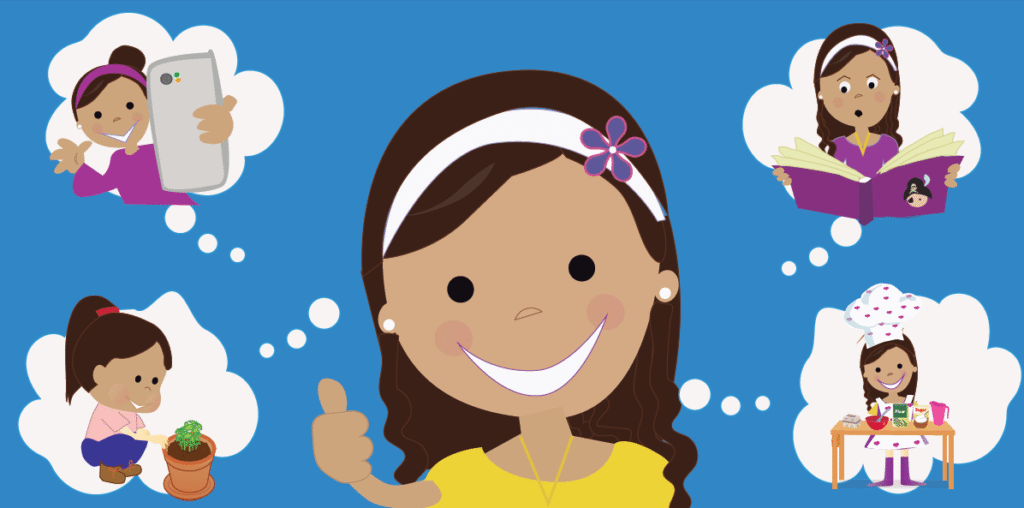
Wordsmyth’s charmingly illustrated story about how one little girl is coping with staying at home is both realistic and heartening as she expresses both her anxiety and her positive attitude in connection with this very new and strange situation.
We cordially invite you to download the Wordsmyth story Why is Everything Different Now? Print it out or use it online. Use it as a teaching tool or just for something both soothing and fun.
If you’re a Wordsmyth subscriber, you can take advantage of the linking of key vocabulary words in the text with easy-to-read definitions and example sentences in WILD, our dictionary for K-2 readers (the Wordsmyth Illustrated Learner’s Dictionary). These entries can be used to create a glossary or to create other pre-teaching or post-reading activities for your students. Entries for all the other words of the story are also available in WILD.
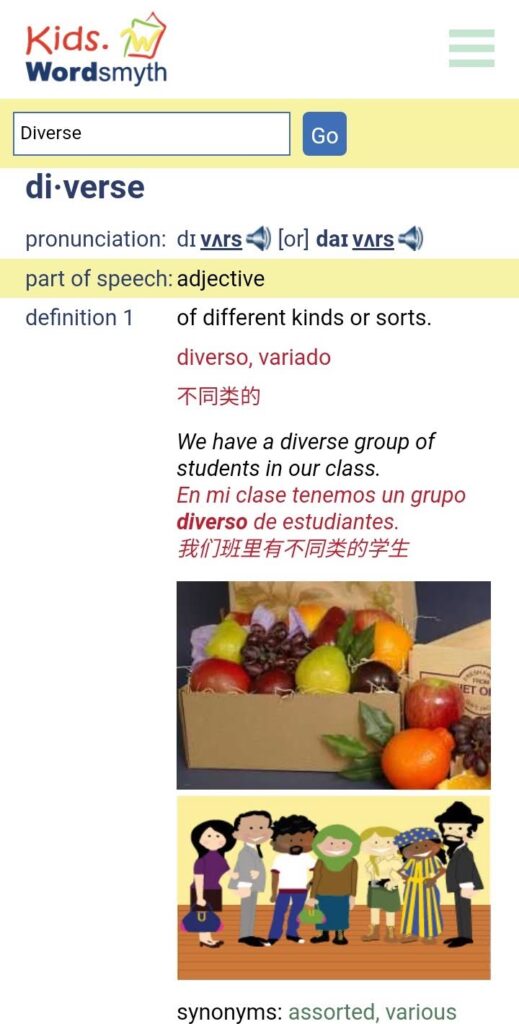
Wordsmyth is proud to announce its first dictionary app — TheWordsmyth Children’s Dictionary — available on both iOS and Android mobile devices.
This app’s design is based on feedback and requests from teachers and students. What we’ve been hearing especially are comments like the following:
” We just want a good dictionary for the kids, even when we don’t have an internet connection.”
Simple Design
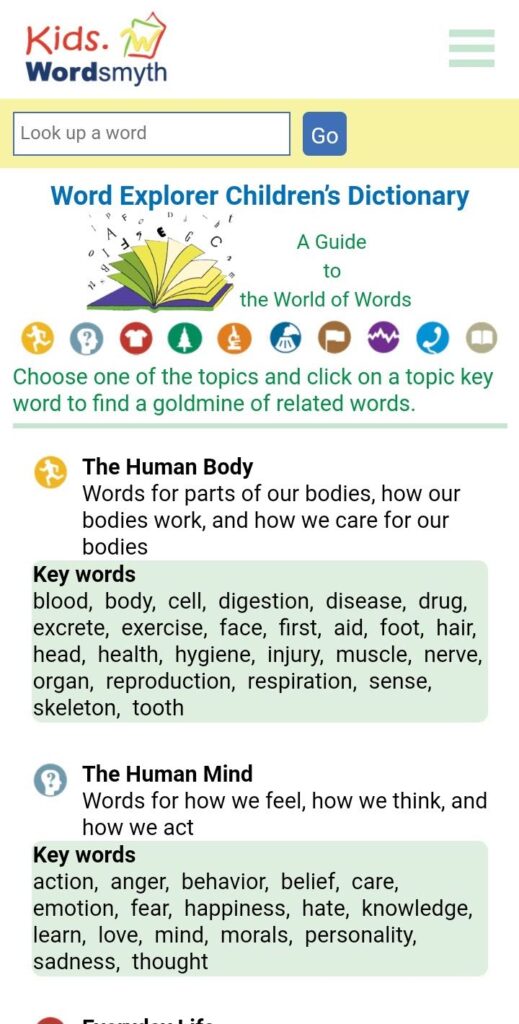
The lookup box is on the top. Just type in the word you want to look up, and click “Go.”
Offline Operation
The app has been designed for use either online or offline. If you are offline, you have the option of using the app with or without media. If you click “settings” and download audio and images, you will have the full dictionary on your device, all accessible without the internet. Anytime you want to switch back to using online media, you can simply click the “remove” button and delete the downloaded material to free up storage space on your device.
Customize your entry display!
To personalize your dictionary experience, you can explore the display options and set the dictionary to show just the dictionary features you want to see.
If you’d like to learn more about this app, please read the full app description. Thanks for taking a moment to find out about our newest and most exciting Wordsmyth offering!
Starting on November 1, 2019, Wordsmyth invites you to submit your nomination for the 2019 Word of the Year. It could be your “favorite word” or a “great word” that has been significant in some way in the past year. It could be a hot topic in the news or a word that has meant something to you as an individual. We want to know why you care about it, what the word means to you. If the word you nominate resonates with our Wordsmyth user community, it could become our Wordsmyth Word of the Year for 2019.
Here is last year’s WOTY — “Love.” This heartwarming word was nominated by a Wordsmyth user and selected by a vote of Wordsmyth users. You can join the process! What is your word for 2019?
It’s not a competition. It’s participation.
We want to encourage our users to actively participate in word learning and study by sharing words that have deeper meaning in society and in their own lives.
Here’s how Wordsmyth WOTY program works:
Nominate a word on our website. You can check its definition in the Wordsmyth dictionary. Nominations will be open until December 15th. The Wordsmyth team will select 10 words from all of the nominations. The quality of the nominating essay will guide our choices.
Vote for your Word of the Year! One person, one vote–make it count! Voting starts on December 16. We will announce the Wordsmyth Word of the Year for 2019 on January 1st, 2020.
It’s also about communication.
Wordsmyth has a two-step approach to selecting a Word of the Year: first nominate your word, and then vote for the best one from the top 10 nominations . The first step allows every user to have their voice heard. The second step is to listen to each other and create a shared voice. In this divided world, let’s see what we can do to build meaningful bridges with our words.
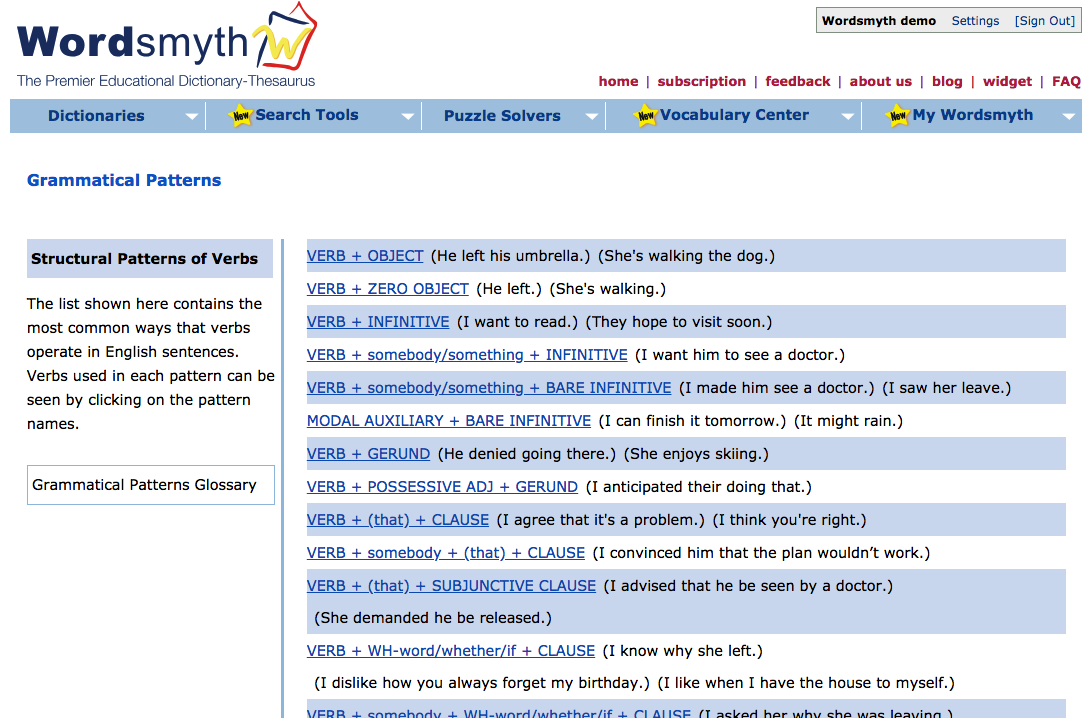
The Grammatical Patterns feature offers a comprehensive guide to the structural patterns of verbs and is accompanied by a detailed yet easy-to-understand glossary of general grammatical terms that clarifies these concepts for both teachers and students. Future updates to the Grammatical Patterns feature will include pattern data relating to adjectives and nouns as well. Grammatical Patterns is a new subscriber feature. If you’re not currently a subscriber, take a look by signing up for a free 15-day trial.
Within individual dictionary entries, the grammatical patterns feature provides example sentences illustrating the particular patterns the entry word can be used in, and each example sentence is marked with the name of the pattern. Each pattern is linked to its description in the grammatical patterns guide, which can be accessed under Search Tools. The Grammatical Patterns guide provides a list of patterns that English verbs follow, and clicking on any of the patterns reveals verbs that follow each pattern, detailed descriptions of each of these patterns, and numerous usage examples.
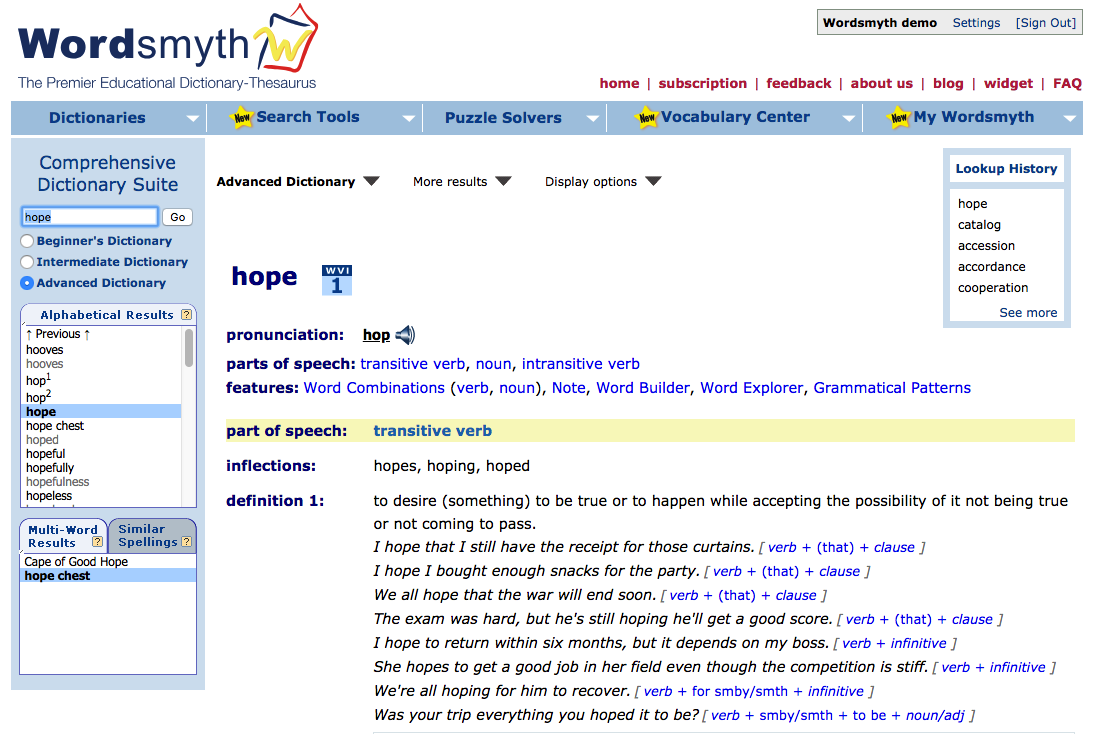
The image below shows an example of how the grammatical patterns feature looks within a dictionary entry. The example shows the numerous patterns in which the verb “hope” can be used. The name of each pattern appears in blue after its example sentence. Don’t forget to turn on “Grammatical Patterns” in the display options in order to view the patterns.
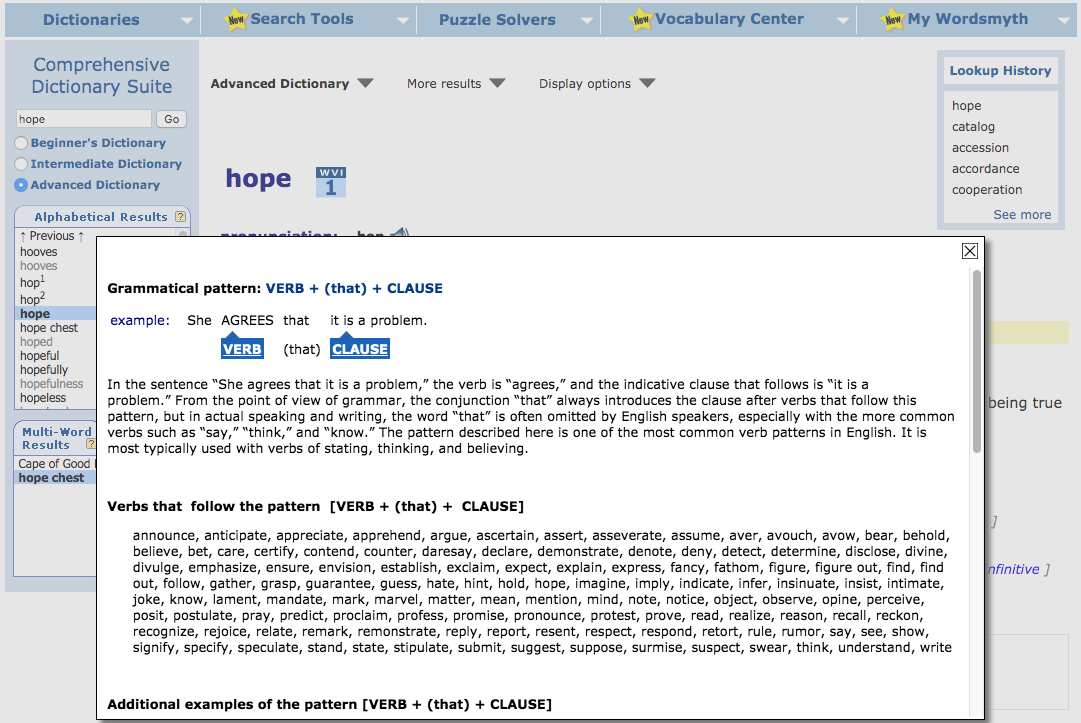
Once again, clicking on the name of a pattern, such as verb + (that) + clause, will take you directly to information about that pattern in the guide. Each pattern description identifies its parts, provides additional example sentences, and lists other verbs following the pattern.
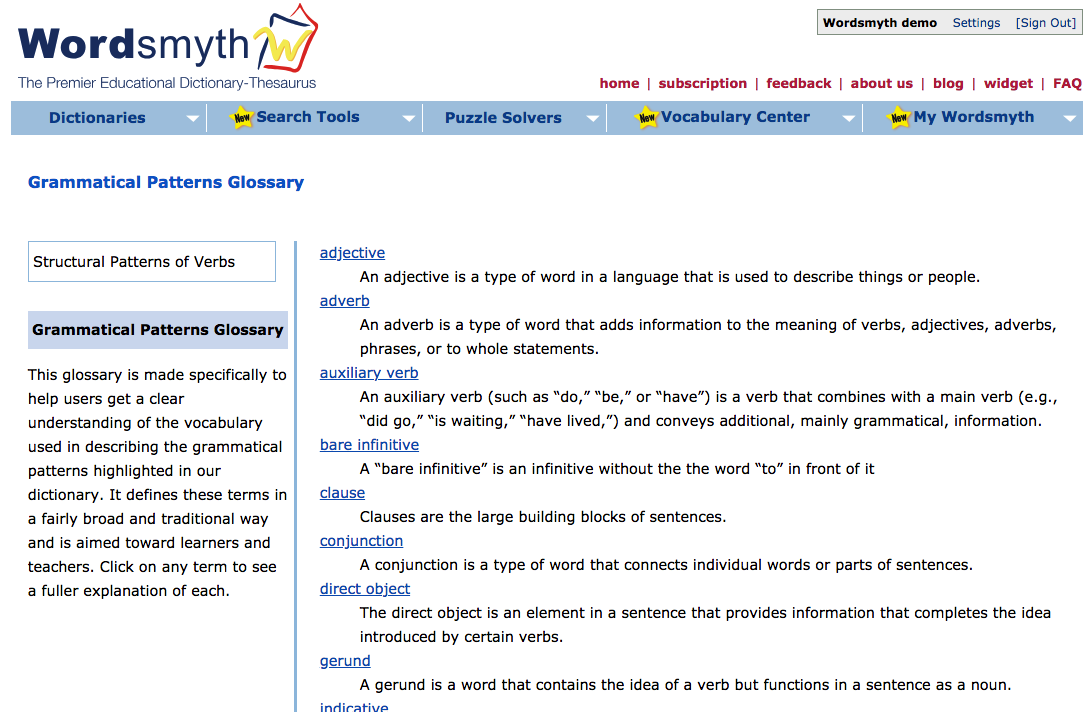
Grammatical Patterns Glossary
The Grammatical Patterns Glossary carefully defines all the grammatical terms used in the descriptions of patterns. Some topics covered include individual parts of speech, sentence components (e.g., “subject,” “object,” “clause”), and verb forms (e.g., “infinitive,” “participle”).
The Glossary can also be used as a stand-alone guide by those interested in refining their understanding or teaching of grammatical terminology. Clicking on any highlighted term in the glossary list brings up a detailed explanation.
The Grammatical Patterns feature demonstrates how specific words operate in a sentence and clarifies the ways in which English generally constructs sentences.
Marking of grammatical patterns in entries is a subscriber feature. Subscribing also gives you access to the Word Parts and Word Combinations features, as well as Spanish and Chinese support within entries. You can review all these features with a free 15-day trial. If you’d like information on subscription, click here.
Want to keep up with all things Wordsmyth? Check out our Facebook, Twitter, and blog. Get in touch with us on our feedback page if you have any questions.
Do you have a favorite word you’d like to share? Does this word mean something important to you? Is it politically relevant, or has it fallen into obscurity?
At Wordsmyth, we want to encourage everyone to share their favorite words. So we created the “My Favorite Word” program!